Light vector style
A complete MapLibre style with roads, buildings, place names and a POI layer.
Docs gmap cloud
GMap Cloud · Basemaps
Display Vietnam maps with a ready-made MapLibre style, or combine vector tiles and satellite imagery with your own layers.
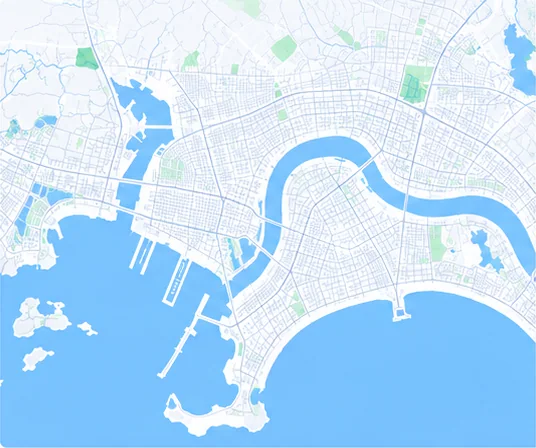
A complete MapLibre style with roads, buildings, place names and a POI layer.
DocsThe same basemap data in a dark palette for night modes and operations centres.
DocsRaster layers according to source imagery and available coverage, as a base or overlay.
DocsDisplay a map with MapLibre GL JS
<link href="https://unpkg.com/maplibre-gl@4.7.1/dist/maplibre-gl.css" rel="stylesheet">
<script src="https://unpkg.com/maplibre-gl@4.7.1/dist/maplibre-gl.js"></script>
<div id="map" style="height: 420px"></div>
<script>
  const KEY = 'public-gmap-cloud-x-api-key-demo';
  new maplibregl.Map({
    container: 'map',
    style: `https://cloud.gmap.vn/api/tiles/style/basemap?x-api-key=${KEY}`,
    center: [108.2208, 16.0678],
    zoom: 13,
  });
</script>// GET /api/tiles/style/basemap → MapLibre style descriptor
{
"version": 8,
"name": "GMap Style Basic",
"sources": { "basemap": { … }, "poi": { … } },
"glyphs": "https://cloud.gmap.vn/api/tiles/font/{fontstack}/{range}?x-api-key=…",
"sprite": "https://cloud.gmap.vn/api/tiles/sprite/icons?x-api-key=…",
"layers": [ … 116 layers … ]
}The style descriptor includes fonts, sprites and tile sources; pass the API key as the x-api-key parameter.
Show stores, orders or assets on a Vietnam basemap.
Use the dark style for vehicle and incident monitoring screens.
Compare satellite imagery with your parcel and planning data.
The styles follow the MapLibre Style specification (version 8) and work directly with MapLibre GL JS and compatible SDKs.
Coverage and resolution depend on the imagery source and area. Share the area you need so GMap can confirm before integration.
Yes. Display attribution according to the terms of use and the data sources listed in the API documentation.